Troubleshooting#
If you encounter issues with kluster.ai Code Reviews, check the following common errors.
Installation#
Cannot find module './constants'#
This error occurs when npx caches a broken or incomplete package download. Clear the cache and restart your IDE:
rm -rf ~/.npm/_npx
Remove-Item -Recurse -Force "$env:LOCALAPPDATA\npm-cache\_npx"
After clearing the cache, restart your IDE or CLI tool.
Claude Code MCP server shows "failed"#
In Claude Code, the MCP server may show ✘ failed on the first connection attempt. This happens because Claude Code has a 10-second timeout for MCP startup, and the initial npx download can take longer when there's no cache.
Simply restart Claude Code. The second attempt will use the cached package and connect successfully. Run /mcp to verify the MCP server is connected:
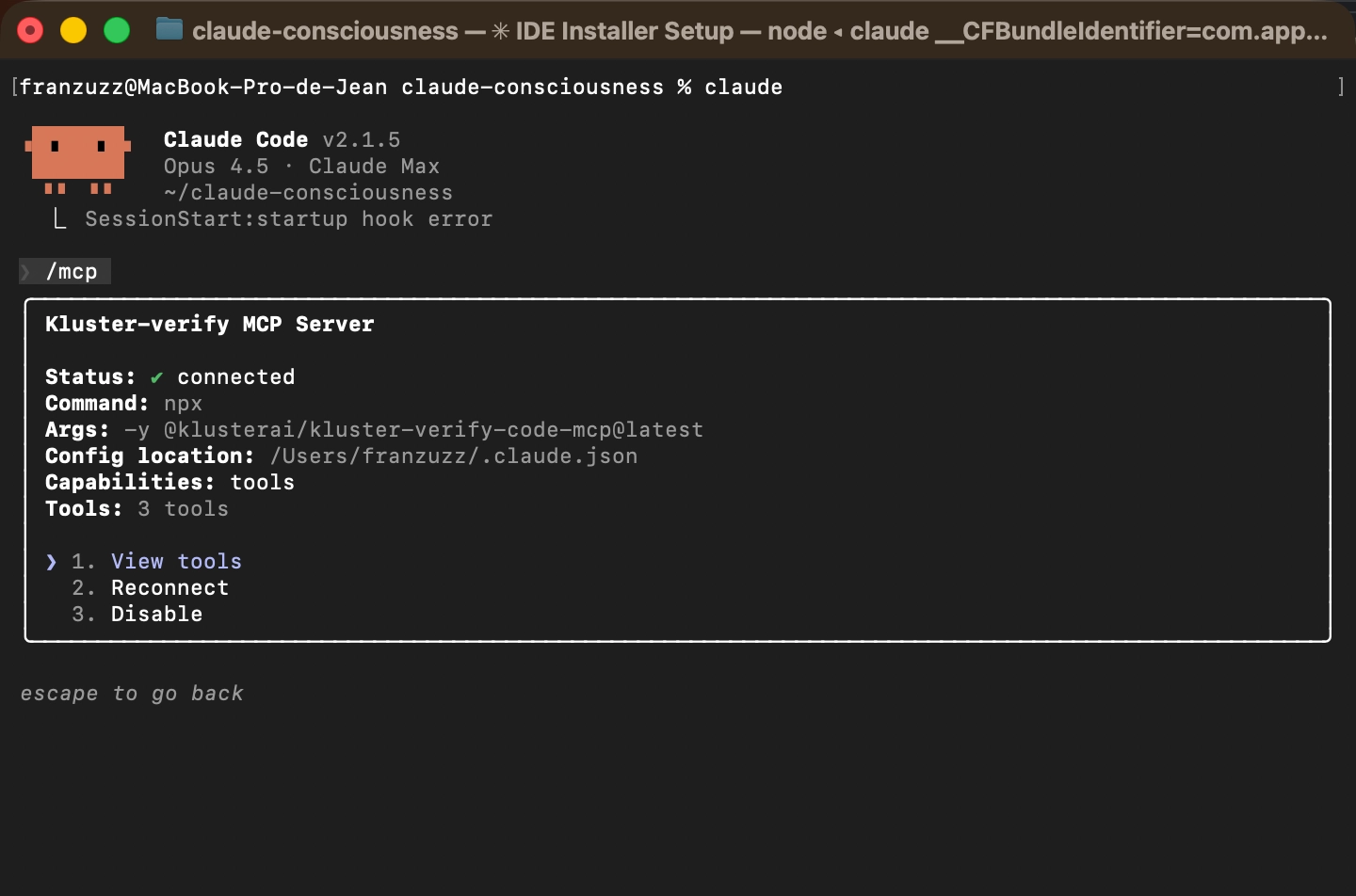
Debugging CLI installation issues#
If you're experiencing installation problems, add the --verbose flag to the installer command for more detailed output:
npx -y @klusterai/ide-installer YOUR_API_KEY claude --verbose
This helps identify where the installation process is failing.
kluster-cli (standalone CLI)#
Command not found: kluster#
The kluster binary is not in your PATH. Add the install directory:
export PATH="$HOME/.kluster/cli/bin:$PATH"
To make this permanent, add the line to your ~/.bashrc, ~/.zshrc, or ~/.profile.
The installer should add %USERPROFILE%\.kluster\cli\bin to your user PATH automatically. If not, add it manually through System Properties > Environment Variables.
Authentication failed#
Your API key may be missing or invalid. Run kluster login to re-authenticate with a valid key from platform.kluster.ai/cli.
Git hook not triggering#
If a git hook doesn't run:
- Check it's installed:
kluster hooks status - Check file permissions (macOS/Linux):
ls -la .git/hooks/pre-push - Fix permissions if needed:
chmod +x .git/hooks/pre-push - If using a custom hooks path, check that
core.hooksPathis set correctly.
Review times out on large diffs#
Deep mode has a 5-minute timeout. For large diffs, use instant mode instead:
kluster review staged --mode instant
Or split the review by reviewing individual files:
kluster review file src/large-file.go
Need help?#
If your issue isn't listed here or you need additional support, join our Discord community.