Repo Reviews quickstart#
Learn how to run system-wide codebase analysis with kluster.ai Repo Reviews. Connect your repository, wait for the deep scan to complete, and review cross-module bugs that slip through PR-level reviews.
Prefer terminal workflows?
You can also run repo reviews from CLI with kluster review repo start and inspect results with kluster review repo show. See Repo reviews from CLI.
Prerequisites#
Before getting started, ensure you have:
- A kluster.ai account: Sign up on the kluster.ai platform if you don't have one.
- A connected repository: You'll need to connect your GitHub, GitLab, or Bitbucket repository through the dashboard.
How repo reviews work#
Repo reviews analyze your entire codebase as a system instead of reviewing individual changes. When multiple parts of your code interact, issues emerge that don't show up in PR-level reviews.
- Connect your repository: Link your GitHub, GitLab, or Bitbucket repository to kluster.ai.
- Scan starts automatically: Wait for the deep analysis to complete.
- Review the findings: Examine issues grouped by severity and type.
This catches cross-module bugs, state inconsistencies, bypassed validation checks, and other system-wide problems that slip through regular code reviews.
Running your first repo review#
1. Connect your repository#
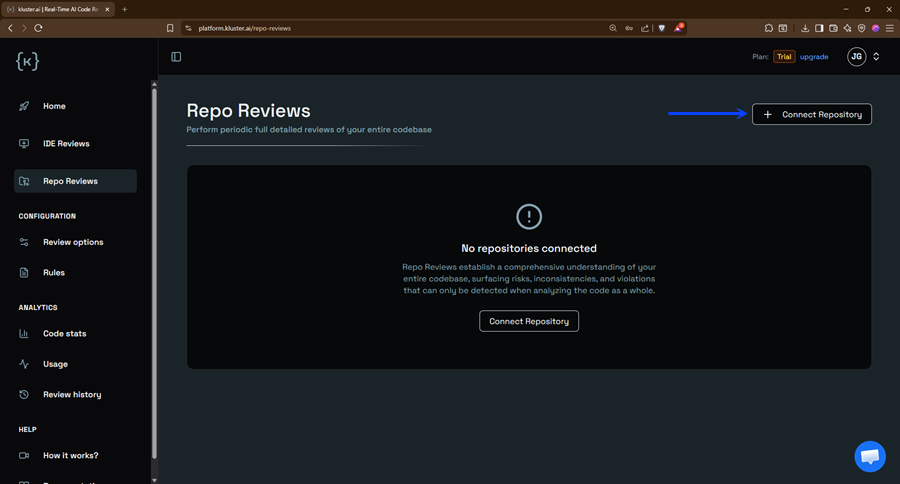
Go to the Repo Reviews dashboard and click Connect Repository.
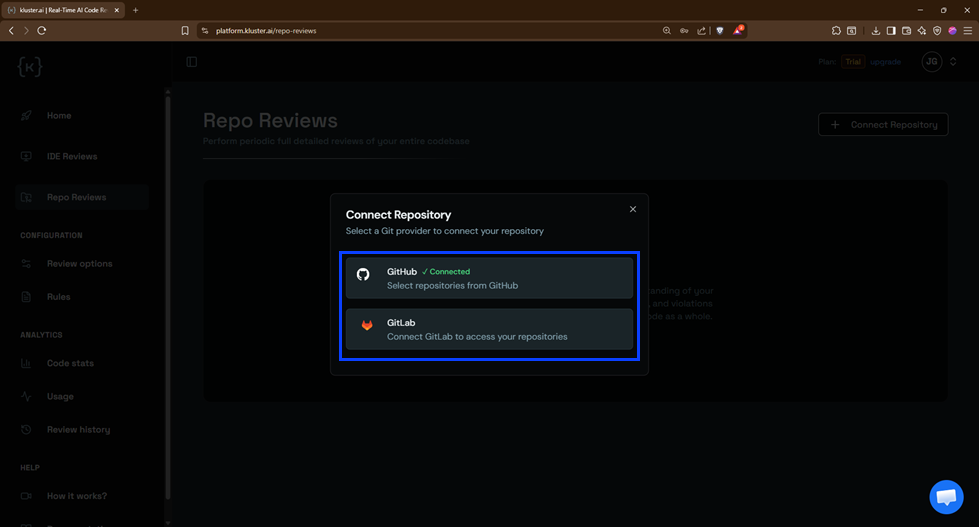
Select your Git provider (GitHub, GitLab, or Bitbucket):
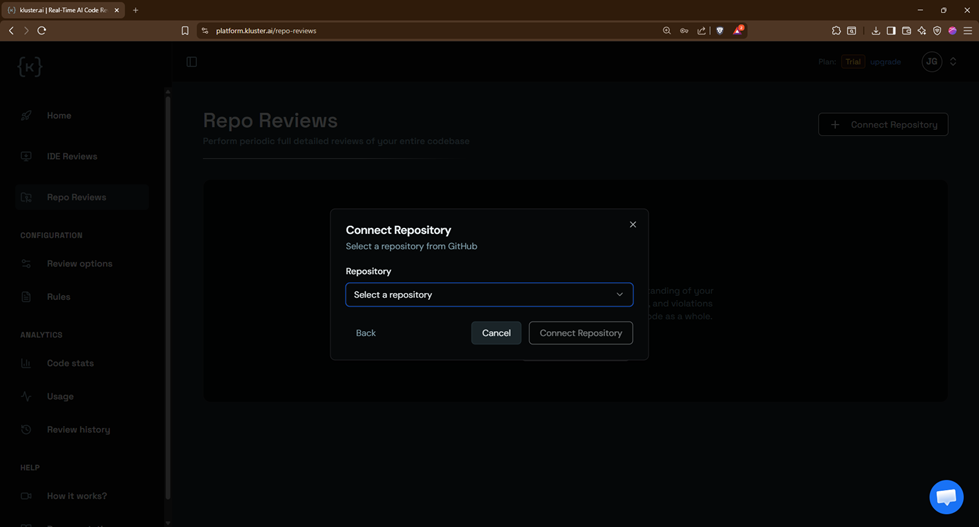
Then choose the repository you want to analyze:
2. Scan repo#
Once your repository is connected, the analysis starts automatically and shows "Review in progress...". The scan runs a deep analysis of your codebase. Depending on repository size, this takes several minutes. You'll receive an email notification once it's done.
You can close the page and come back later.
3. Review the results#
When the scan finishes, you'll see a list of issues found in your codebase:
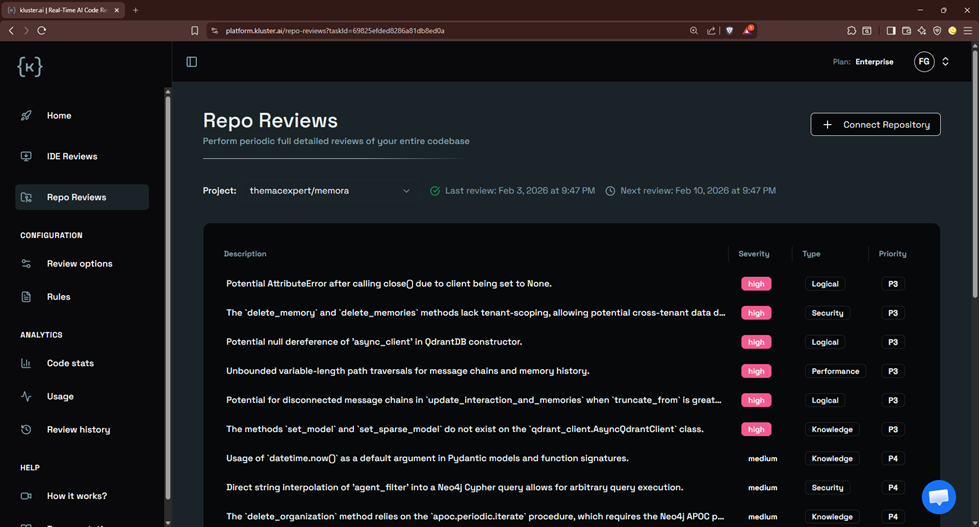
Each issue displays:
- Description: Summary of the problem.
- Severity: High, Medium, or Low (shown with color badges).
- Type: The category of issue (Security, Logical, Performance, Knowledge, etc.).
- Priority: P0-P5 ranking for triage.
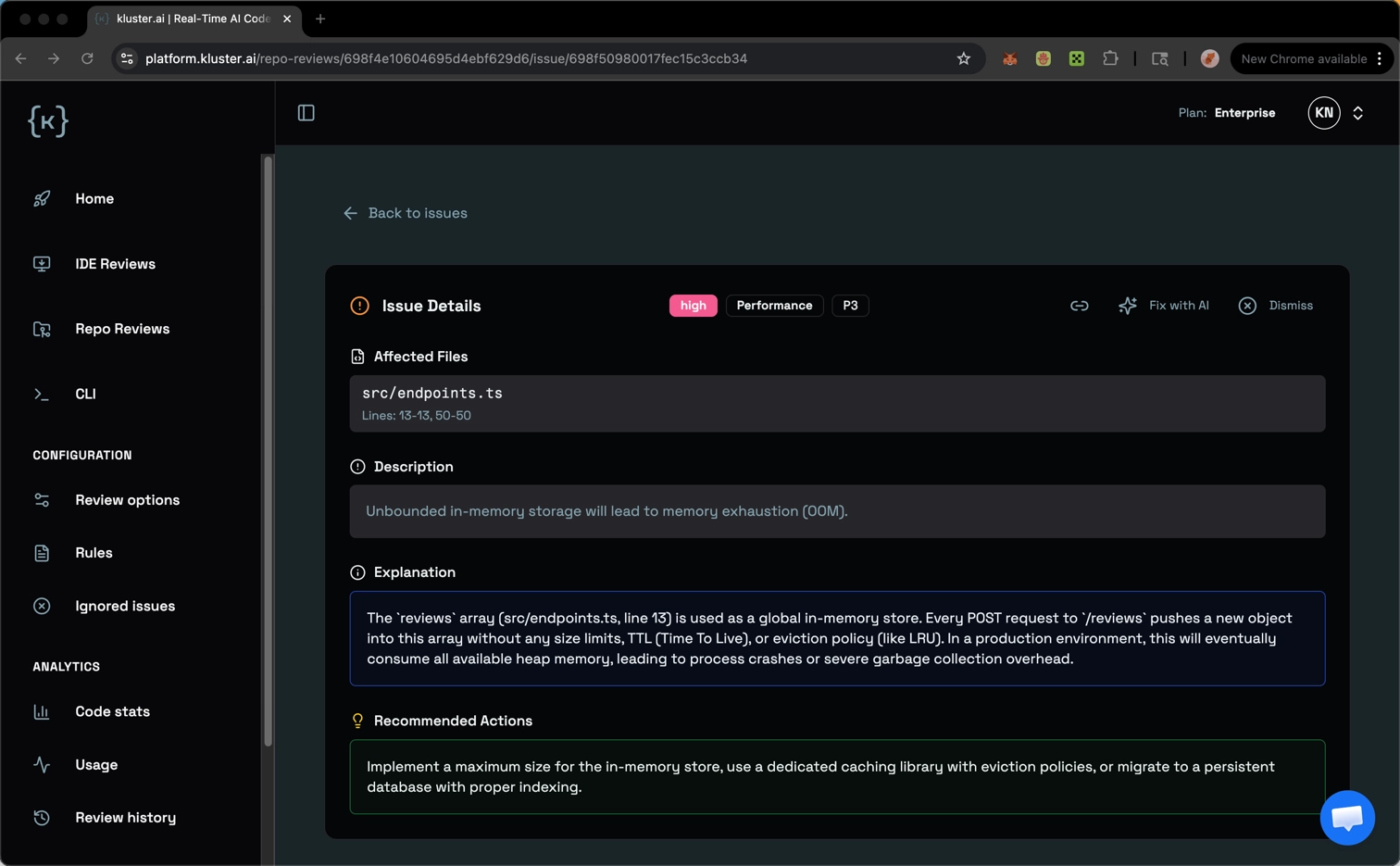
4. Examine issue details#
Click a given bug or issue to learn more. The detail view includes:
- Description: What the problem is.
- Explanation: Why this is a problem and how it impacts your system.
- Recommended Actions: Steps to fix the issue.
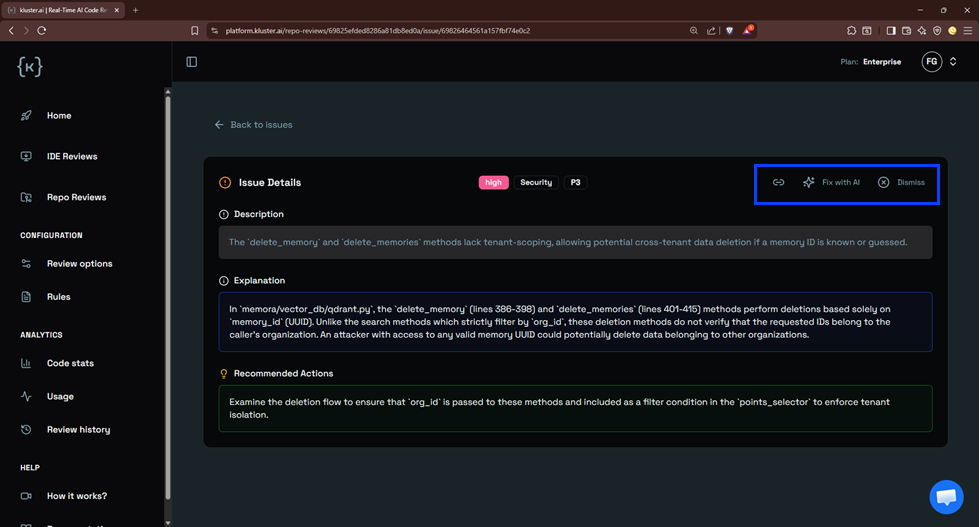
5. Take action#
For each issue, you have four actions:
- Copy: Copy the issue details to share or save.
- Fix with AI: Get a prompt to paste into your AI assistant (Claude, Cursor, etc.) to fix it automatically.
- Snooze: Temporarily hides the issue for a selected duration (1 day, 7 days, or 30 days). The issue reappears automatically after the snooze period expires.
- Ignore: Permanently dismisses the issue. It will not reappear in future reviews.
When to snooze vs. ignore
Use Snooze for issues you plan to address later but don't want cluttering your current review. Use Ignore for false positives or accepted risks that don't need further attention.
Next steps#
- Pick your workflow: Learn when to use repo reviews vs. other review modes.
- Repo reviews from CLI: Trigger and inspect repo reviews from the terminal.
- Review modes: Understand all available review types.
- FAQ: Common questions about kluster.ai code reviews.