On-demand reviews quickstart#
With kluster.ai, you can trigger reviews three ways: right-click any selection, use hint buttons, or scan uncommitted changes.
Exclude files with .klusterignore
If there are files or folders you never want kluster.ai to review (generated code, build output, vendored dependencies), add them to a .klusterignore file. On-demand IDE reviews respect .klusterignore.
Prerequisites#
Before getting started, ensure you have:
- A kluster.ai account: Sign up on the kluster.ai platform if you don't have one.
- kluster.ai installed in your IDE: Follow the Installation guide to set it up in your favourite IDE.
How on-demand reviews work#
- You write code: Work in your editor as usual.
- You trigger review: Right-click, use a hint button, or click in the sidebar.
- kluster.ai analyzes: Results appear with issues and suggested fixes.
Sidebar review#
Open the kluster.ai extension to access the On-Demand Review section in the sidebar. Use the Mode dropdown to choose what to review:
- Review current file: Verifies only the file currently open in the editor.
- Review uncommitted changes: Verifies all uncommitted changes across multiple files.
- Review all branch changes: Verifies all changes compared against the selected base branch.
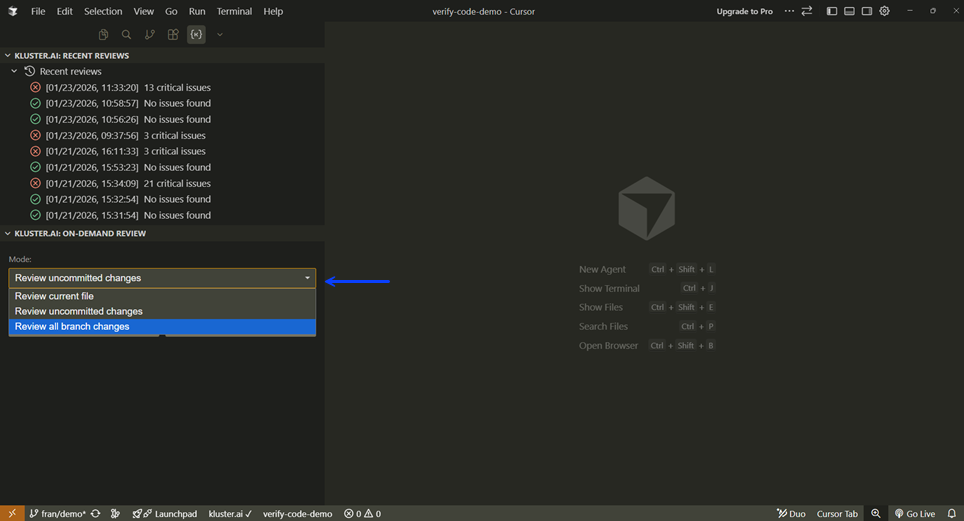
Then choose your analysis depth for your code reviews:
- Instant: Completes in about five seconds. Detects most issues and is suited for fast review and iteration cycles.
- Deep: Takes up to a few minutes. Conducts deeper analysis to uncover even subtle edge cases, ideal for critical code and final reviews.
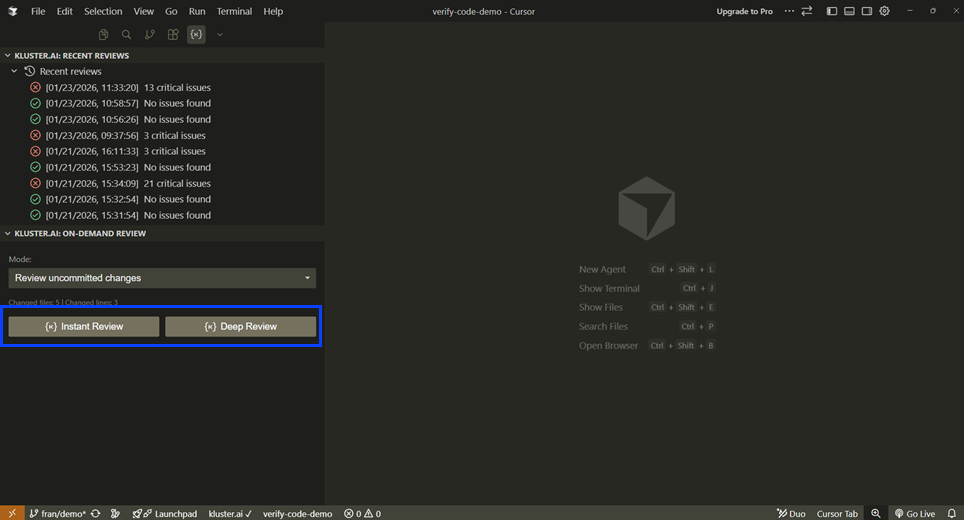
Accessing On-Demand Review
You can also access On-Demand Review from the Home and Git tabs. Expand the kluster.ai section if collapsed.
After the review completes, kluster.ai displays any issues found. For each issue, you have three actions:
- Fix with AI: Generates an AI-powered fix suggestion that you can apply with one click.
- Snooze: Temporarily hides the issue for a selected duration (1 day, 7 days, or 30 days). The issue reappears automatically after the snooze period expires.
- Ignore: Permanently dismisses the issue. It will not reappear in future reviews.
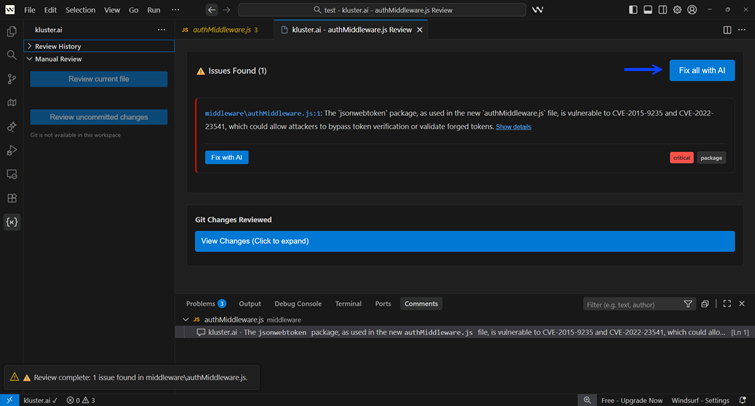
When to snooze vs. ignore
Use Snooze for issues you plan to address later but don't want cluttering your current review. Use Ignore for false positives or accepted risks that don't need further attention.
Code block review#
Select any code in your editor, right-click, and choose Review with kluster.ai (or press Ctrl+Shift+K). This is useful for:
- Verifying a specific function or block you just wrote.
- Checking code during merge conflict resolution.
- Getting a quick security check before moving on.
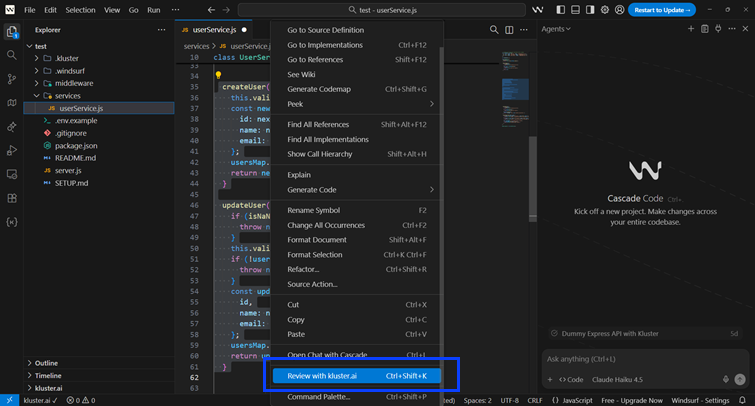
Hint button
When you select code, a hint button also appears next to your selection to trigger the review. This hint button is not yet available in Cursor—use the right-click menu or keyboard shortcut instead.
Compatible with#
- Cursor
- VS Code
- Windsurf
- Antigravity
Configuration#
You can customize how on-demand reviews work in your configuration options:
- Analysis level: Set default depth for Instant vs Deep reviews.
- Enabled tools: Toggle Code Review and Dependency Analysis on/off.
- Sensitivity: Adjust how strictly issues are flagged (Low → Critical).
- Bug check types: Select which issue types to check (Security, Logic, Performance, etc.).
Next steps#
- MCP Tools Reference: Deep dive into all MCP tools and parameters.
- Configuration Options: Customize Code Reviews behavior for your workflow.