Background reviews quickstart#
Background reviews watch your uncommitted changes and run automatically in the background. You do not need to click anything.
Exclude files with .klusterignore
Add a .klusterignore file to exclude files and folders from background reviews (syntax is the same as .gitignore).
Prerequisites#
- A kluster.ai account: Sign up on the kluster.ai platform if you don't have one.
- kluster.ai installed in your IDE: Follow the Installation guide to set it up in your favourite IDE.
Turn it on#
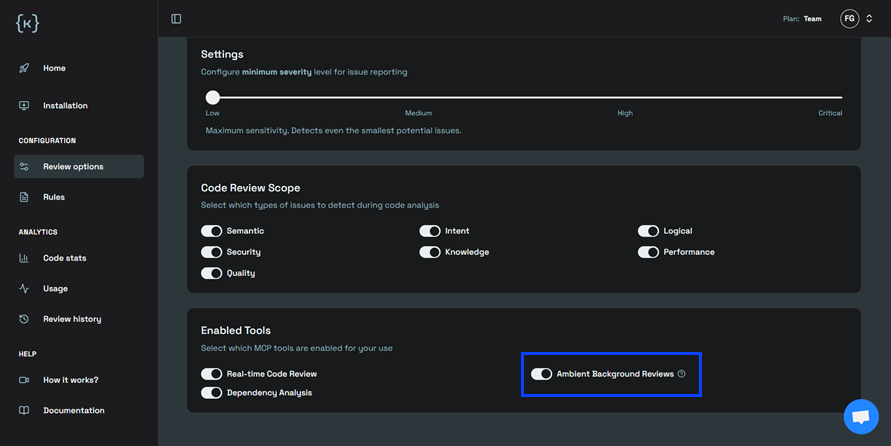
- Open Options in the kluster.ai platform or IDE.
- In Enabled Tools, toggle Ambient Background Reviews (Beta, Enterprise plan) on.
- Keep coding. Reviews run automatically once enabled.
Next steps#
- How it works: Learn what triggers a review and what gets included.
- On-demand reviews quickstart: Run reviews manually in your editor.
- Configuration options: Adjust sensitivity and issue types.