Custom rules#
Rules define the standards and requirements that help maintain consistent code quality across your projects. They give Code Reviews a clear basis for evaluating new code, ensuring it aligns with your defined criteria. kluster.ai Code Reviews automatically check code changes against these rules.
Rule types#
To accommodate different workflows, Code Reviews supports two types of rules:
- Manual rules: Custom rules you create based on specific team requirements and coding standards.
- Learned rules: Automatically extracted from your GitHub repositories, continuously updated to reflect your codebase patterns.
Set up instructions#
Extraction rate limit
Rule extraction from repositories is limited to once per hour. Wait 60 minutes between extraction requests.
-
Access the platform by navigating to Custom Code Review Rules.
-
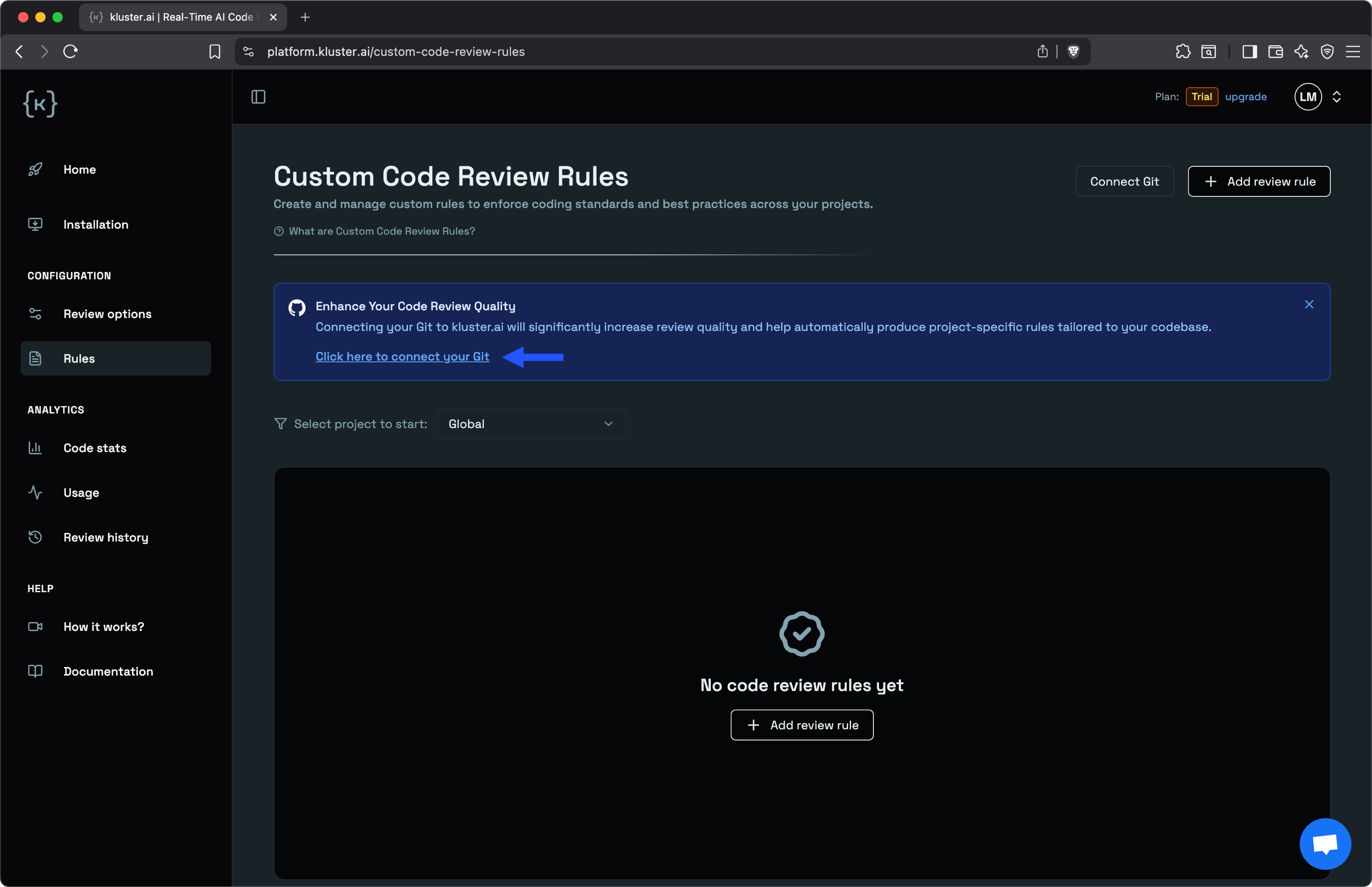
(Optional) Connect your GitHub account to enable project-specific rules. In this context, each GitHub repository is treated as a 'project' - Code Reviews learns patterns from each repository and applies those specific rules when reviewing code for that project.
-
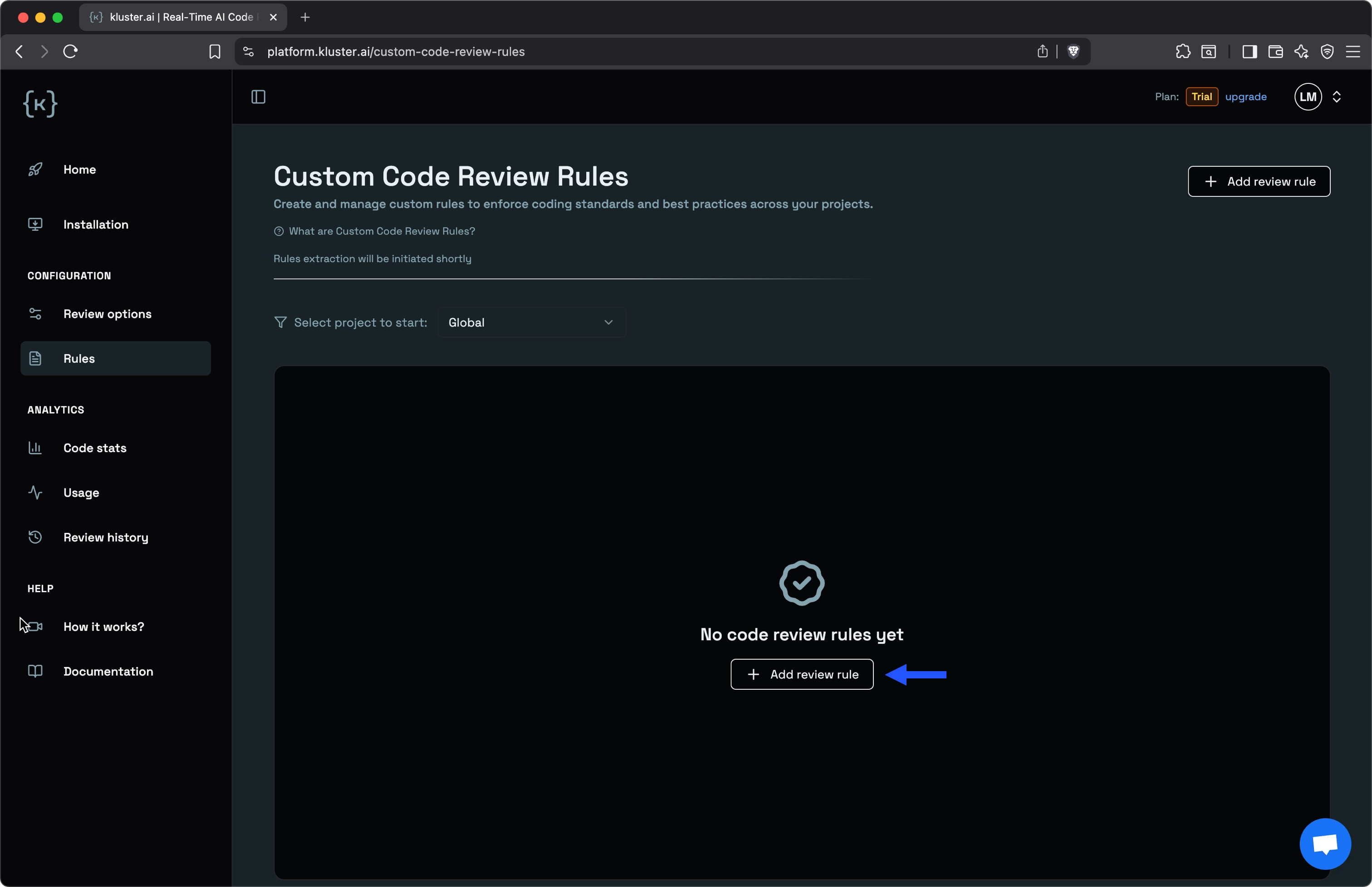
Click Add review rule to create custom rules.
-
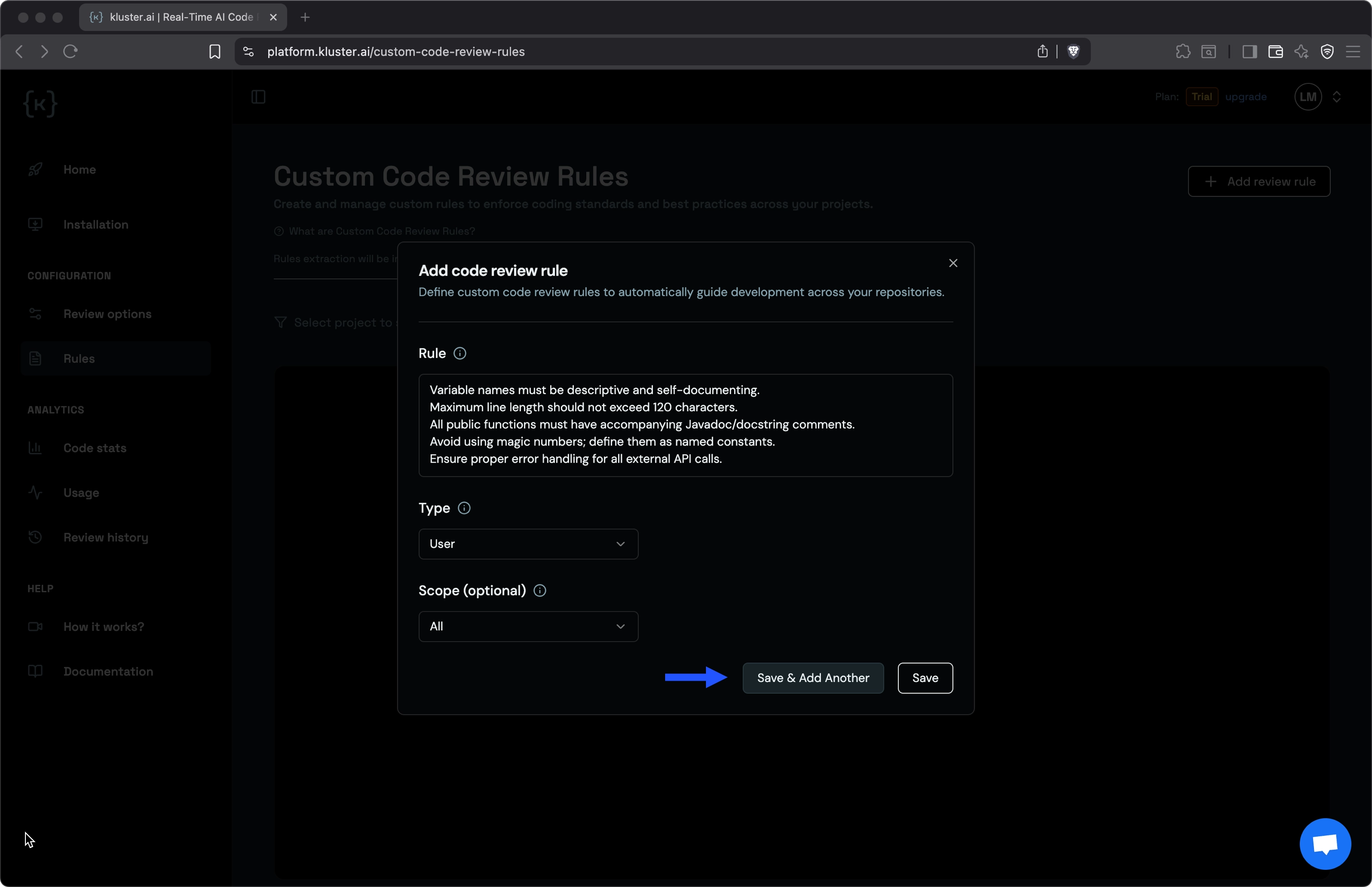
Configure rule scope and select one of the following:
- All: Rules apply globally to all your coding sessions.
- Project-specific: Select a repository from the dropdown (requires GitHub connection).
-
Click Save & Add Another to add multiple rules or Save to finish.
Next steps#
- Installation guide: Set up Code Reviews in your preferred IDE.
- See real examples: Walk through a complete Firebase migration case study.