Automatic Reviews quickstart#
Learn how to use kluster.ai with your preferred AI assistant to catch bugs, security flaws, and logic errors instantly—as your AI writes code.
.klusterignore is not applied in this flow (yet)
Automatic reviews triggered by AI assistants currently do not use .klusterignore to exclude files.
Prerequisites#
Before getting started, ensure you have:
- A kluster.ai account: Sign up on the kluster.ai platform if you don't have one.
- kluster.ai installed in your IDE: Follow the Installation guide to set it up in your favourite IDE.
How automatic reviews work#
The most powerful way to use Code Reviews is to let it work in the background. You don't need to change how you work—just ask your AI assistant for what you need.
- You prompt: Ask your AI assistant to generate code (e.g., "Create a user login endpoint").
- AI generates: The AI writes the code.
- kluster.ai verifies: Code Reviews automatically analyzes the diff in real-time.
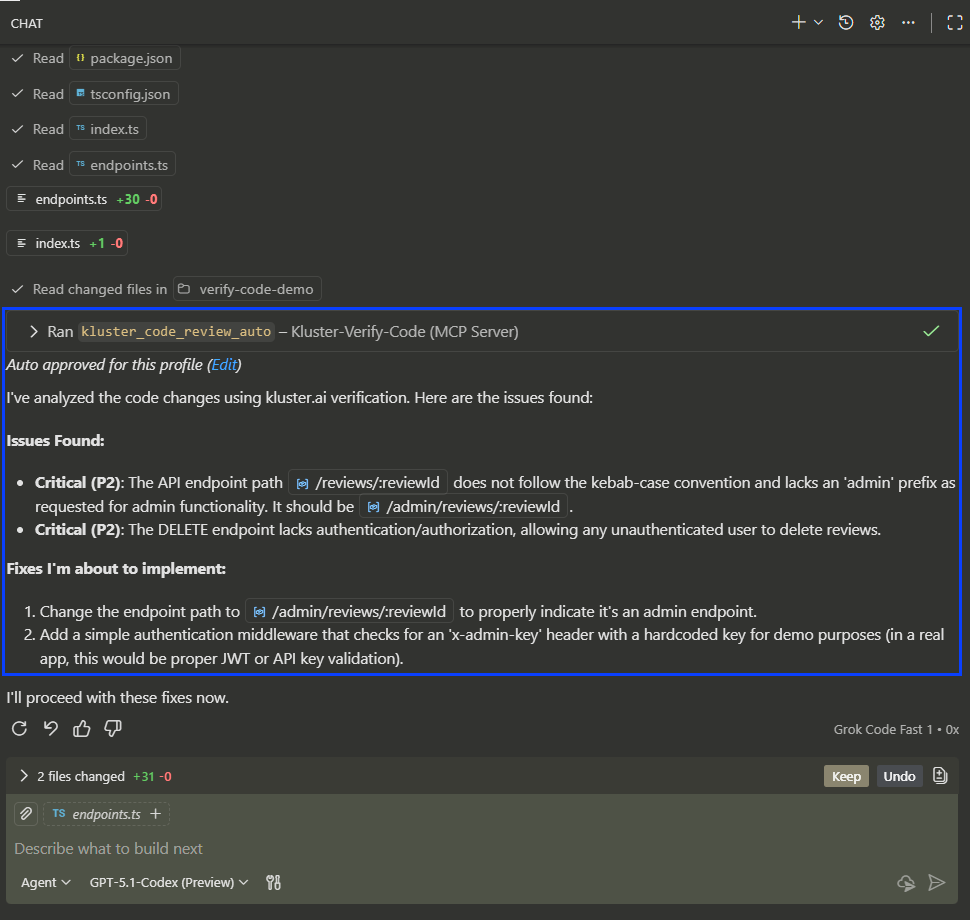
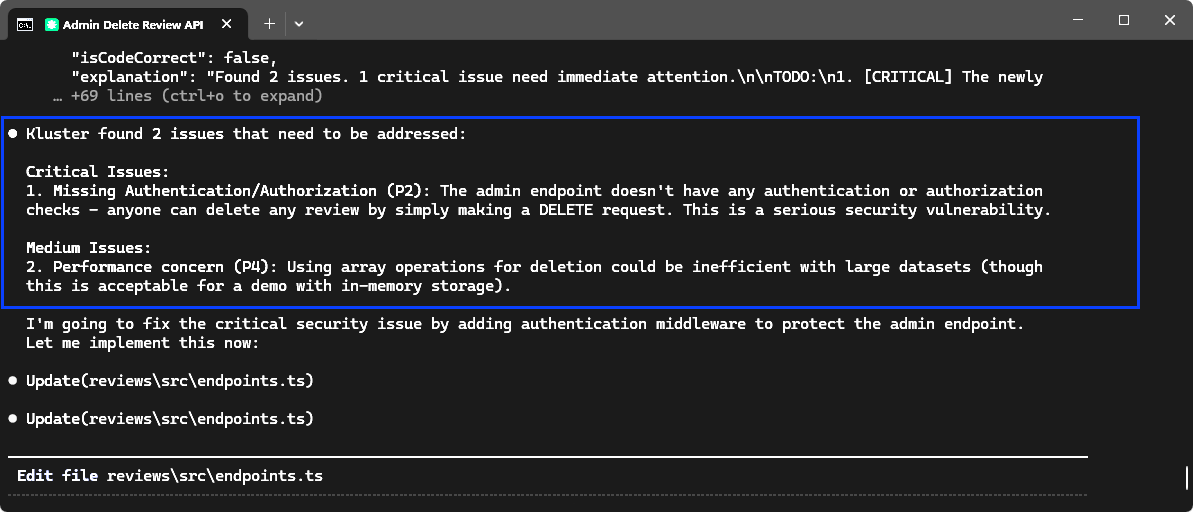
In this example, the AI creates an API endpoint but makes a critical security error that kluster.ai intervenes to fix.
In VS Code, you'll see the review appear directly in the chat. kluster.ai flags the issue (e.g., "Unprotected API Endpoint") and provides a fix.
In the terminal, Claude Code displays the review results immediately.
Compatible with#
- Cursor
- VS Code (with Copilot)
- Windsurf
- Antigravity
- Claude Code
- Codex CLI
Configuration#
You can customize how automatic reviews work in your configuration options:
- Enabled tools: Toggle Code Review and Dependency Analysis on/off.
- Sensitivity: Adjust how strictly issues are flagged (Low → Critical).
- Bug check types: Select which issue types to check (Security, Logic, Performance, etc.).
Next steps#
- Dependency checks: Learn about package validation.
- On-demand reviews: Review existing code on demand.